Works with Google Drive
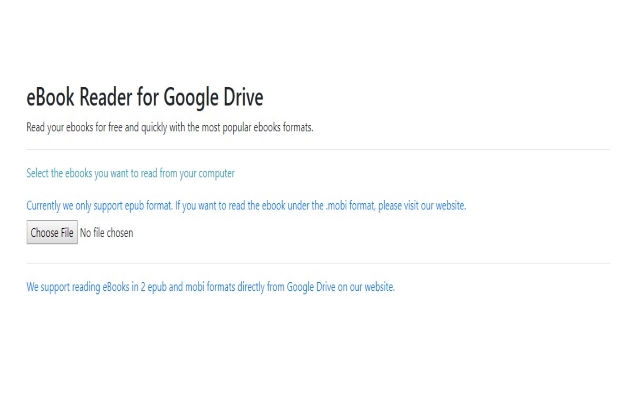
You can upload files from your PC or Google Drive.
Instruction Manual
We have a simple tutorial guide which explains the features of the software extension and what each button inside the extension does. Read our tutorial and welcome guide on how to use the extension to the fullest.
Sponsored Link:
Any operating system works
This addons works on all computers - the operating system you use doesn't matter.
You can read easily with our ebook reader online app. It supports a 2 common eBook formats, including Epub and Mobi. You can add books from your computer, or from Google Drive
Features:
Install and open.
- After installing the extension. You click on the icon and can begin reading your epub/mobi files on your computer.
What is the epub file format?
Epub is a file format for digital publication. It is a free and open standard maintained by the International Digital Publishing Forum (IDPF). The epub format was developed to be an alternative to PDF, which can not be read on many eReader devices. The epub format allows you to have hyperlinks in your books, which makes them more interactive and engaging.
The epub format was designed as an open alternative to the proprietary Kindle format of Amazon, which did not allow hyperlinks or other rich media in their books.
What is the benefits of epub format versus mobi format?
Epub and mobi are two different file formats. They are both used to store digital versions of books, but they have very different purposes and characteristics.
Epub is an open standard for electronic publications that can be read on mobile devices, desktop computers, and e-readers. Epub files are commonly used by e-book publishers to distribute their books via the internet.
Mobi is a proprietary format developed by Amazon for its Kindle devices. Mobi files can only be read on Kindle devices and applications for iOS and Android.
Desktop Software which can open ePub format.
The first option is Adobe Reader DC. This program is available for both Mac and Windows users. You can download a copy of Adobe Reader DC here: https://get.adobe.com/reader .
Another great option is Foxit PhantomPDF, which is available for both Mac and Windows users as well. You can find out more about Foxit PhantomPDF here: https://www.foxitsoftware.com/products/phantompdf .
If you'd like to use a free online service, then I'd recommend using Calibre (https://calibre-ebook.com). Calibre is a great tool because it allows you to convert any file type into any other file type (including epub!). For example, if you have an MS Word document that you'd like to convert into an epub file, then Calibre will do that automatically for you!
Tutorial:
- Install the Extension
- After installing the extension, click on the icon on the toolbar.
Sponsored Link: